










11 Best service business software for field & client work [2026]
 Vivienne ChenNov 30, 2025
Run your productized agency with Assembly
Assembly gives you the tools you need to start, run, and grow your client business. Try it for free!
4.9 rating
- Top 11 service business software: At a glance
- 1. Assembly: Best for client delivery and billing
- 2. ServiceTitan: Best for larger field service teams
- 3. ServiceMax: Best for enterprise field operations
- 4. Housecall Pro: Best for home service teams
- 5. Jobber: Best for small service businesses
- 6. FieldPulse: Best for teams that need dispatching
- 7. Monday.com: Best for job and project tracking
- 8. ClickUp: Best for project-based service work
- 10. Bonsai: Best for freelancers and solo service providers
- 11. FreshBooks: Best for invoicing and light job management
- How I tested the best service business software
- Which service business software should you choose?
- My final verdict
- Build a more connected client experience for your service business with Assembly
- Frequently asked questions
I’ve studied how service teams move through quoting, scheduling, on-site work, and billing. After testing platforms across that workflow, these are the top 11 service business software options that handled day-to-day operations consistently in 2026.
Top 11 service business software: At a glance
Service business software gives service teams a clearer way to manage field work, projects, and client delivery. Some field service software is built for dispatching, while others focus on billing or communication. Here’s how they compare in 2026:
| Tool | Best For | Starting Price (Billed Annually) | Key Advantage |
|---|---|---|---|
| Assembly | Client delivery and billing | $39/month | Combines client communication, contracts, and payments in one workspace |
| ServiceTitan | Larger field service teams | Custom pricing | Full field service management (FSM) tool with dispatching, estimates, and technician mobile tools |
| ServiceMax | Enterprise field operations | Custom pricing | Advanced asset management and complex field service workflows |
| Housecall Pro | Home service teams | $59/month | Simple scheduling, invoicing, and mobile tools for field technicians |
| Jobber | Small service businesses | $23/month for up to 5 users | Scheduling, quotes, and payments in one app |
| FieldPulse | Field teams that need dispatching | Custom pricing | All-in-one job scheduling and technician tracking |
| Monday.com | Job and project tracking | $12/user/month, minimum of 3 users | Flexible boards for jobs, tasks, and team coordination |
| ClickUp | Project-based service work | $7/user/month | Customizable job workflows and task management |
| HoneyBook | Proposals and early client flow | $29/month | Simple flow from quotes to contracts and payments |
| Bonsai | Freelancers and solo service providers | $9/user/month | Contracts, invoices, and basic CRM in one dashboard |
| FreshBooks | Invoicing and light job management | $170.10/year | Simple invoicing, time tracking, and basic project organization |
1. Assembly: Best for client delivery and billing
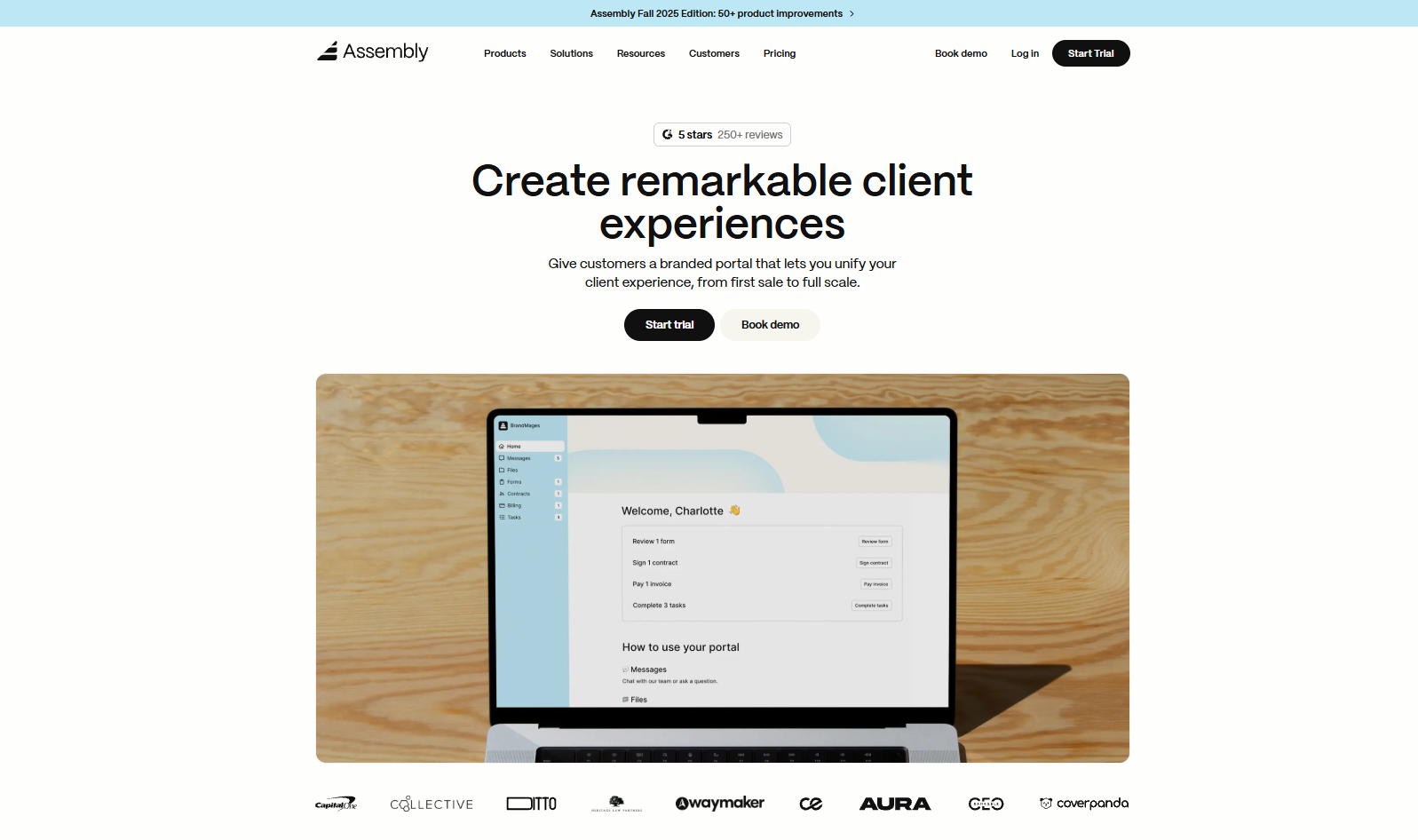
- What it does: Assembly is service business software that brings communication, contracts, and payments into one organized workspace. Service teams use it to keep updates, files, and invoices tied to the right client. It supports both one-time and recurring billing without separate apps.
- Who it’s for: Service businesses that want one place for client updates, agreements, and payments.
We designed Assembly to support the full client cycle so you can keep every step in one place. You can manage early notes, prepare agreements, and organize client details in a way that makes handoffs easier for your team.
Each client record includes a portal you can shape before inviting anyone. This lets your team stay aligned, store internal notes, and set custom fields while keeping early conversations private until you’re ready to share.
Once the portal is shared, clients know exactly where to review files, sign documents, send messages, and make payments. Everything stays tied to the same record, which helps you track what was sent, what’s pending, and what needs attention next.
Assembly Assistant is our AI tool that helps your team prepare faster. It gathers recent activity, drafts follow-ups, and organizes context so you’re not spending time digging through past messages or files before a call.
Your workspace stays consistent across tools you already use, since Assembly connects with Airtable, Calendly, ClickUp, Zapier, and Make. This keeps your routine simple and reduces the back-and-forth that tends to slow client work down.
Key features
- Branded client portal: Share contracts, payments, files, and updates in one place
- Billing and contracts: Recurring and one-time payments with built-in signatures
- AI Assistant: Gathers context before calls and drafts follow-up messages
- Integrations: Works with Airtable, ClickUp, Calendly, Zapier, and Make
- Permissions: Set access levels for clients and internal users
Pros
- Branded portal where clients review updates, sign documents, and make payments
- Links contracts, invoices, files, and messages to the same client record
- Connects with Airtable, Calendly, ClickUp, Zapier, and Make for smoother workflows
Cons
- Higher starting price than basic invoicing apps
- Some teams may not need a full client portal
Pricing
Assembly starts at $39 per month for the Starter plan.
Bottom line
Assembly brings your client communication, files, and payments together in one place. It supports both pre-sales and ongoing work, but if dispatching matters more for your team, tools like ServiceTitan, Housecall Pro, or FieldPulse may fit better.
2. ServiceTitan: Best for larger field service teams

- What it does: ServiceTitan is a field service software tool that manages scheduling, dispatching, job details, and on-site estimates in one system. It centralizes technician routes, job statuses, and invoices so teams can monitor daily operations.
- Who it’s for: Larger service teams that run field operations and need structured scheduling and dispatching.
ServiceTitan focuses on operational structure, so I spent time checking how it handles busy days with a lot of moving parts. The dispatch board stood out first. It shows technician locations, open jobs, and upcoming work in one view, which makes it easier to see where delays might happen.
I tested how schedule updates flow to the mobile app and found that technicians get clear job details, photos, and checklists they can complete on-site. The app keeps the workflow consistent across different technicians, which matters when jobs vary in size or complexity.
The estimating workflow was straightforward once templates were set up, though the setup requires patience. Reporting gives managers data on job duration, materials, and revenue, but some parts need configuration before the numbers become meaningful.
Key features
- Dispatch board: Track technician status and assign jobs in real time
- Mobile app: Provide job details, photos, and checklists to field technicians
- Estimating tools: Build and send on-site estimates with saved templates
Pros
- Clear visibility into technician schedules
- Mobile tools support consistent on-site work
- Reporting can provide useful job and revenue data once configured
Cons
- Pricing is not public
- Setup takes time for teams with detailed workflows
Pricing
ServiceTitan uses custom pricing based on team size and feature needs.
Bottom line
ServiceTitan helps you manage field operations by keeping schedules, job details, and technician updates in one system. If you want lighter job tracking features or fewer setup steps, Jobber, Housecall Pro, or Monday.com may fit your workflow better.
3. ServiceMax: Best for enterprise field operations
- What it does: ServiceMax is a field service platform built for complex, asset-heavy operations. It organizes work orders, technician assignments, and maintenance plans in one place. The system also tracks detailed asset histories over time.
- Who it’s for: Enterprise teams that manage large service fleets and long-term maintenance work.
ServiceMax puts asset data at the center of its workflow, so I wanted to see how it supports teams that manage a lot of equipment. The work order setup includes fields for models, serial numbers, and past service, which helps keep long-term records consistent. Accurate information matters here because it affects how jobs move through the system.
I checked how updates flow to technicians, and the structured instructions reduced confusion during repairs. Scheduling assigns work based on skill level, location, and parts availability, but the interface takes time to learn before the process feels smooth.
Building a maintenance workflow showed how the asset history timeline highlights completed steps and overdue tasks. This structure also supports stronger client management for teams with long-term service contracts.
Key features
- Asset service histories: Track maintenance and past repairs in one place
- Advanced scheduling: Assign jobs based on skills, parts, and location
- Work order templates: Standardize field instructions for recurring tasks
Pros
- Strong support for asset-heavy operations
- Clear service history tracking
- Detailed work order structure
Cons
- Pricing is custom
- Setup can be time-intensive for new teams
Pricing
ServiceMax uses custom pricing based on business size and needs.
Bottom line
ServiceMax helps you keep work orders, asset records, and technician schedules organized in one system. It’s useful if you manage long-term maintenance work that depends on accurate data. If you want something simpler to run day to day, Jobber, FieldPulse, or Monday.com may work better for your team.
4. Housecall Pro: Best for home service teams
- What it does: Housecall Pro is a field service tool built for home-service businesses that need simple scheduling, invoicing, and technician coordination. It centralizes job details, client communication, and payments so teams can keep daily work on track.
- Who it’s for: Small to mid-size home-service teams that want an easy way to run jobs and collect payments.
The first thing I checked in Housecall Pro was how it handles a typical service day, since the platform is built around quick job movement. The schedule view shows a clear timeline with job details that technicians can open from the app, which makes daily planning easier.
I tried creating a repeat service plan, and the workflow was straightforward once templates were saved. The invoicing flow also stood out because it connects directly to job details, so you can send charges without re-entering information.
Customer messages appear in a single thread, which helps follow-ups stay organized even when several jobs are active.
Key features
- Scheduling calendar: View and manage daily routes for technicians
- Invoicing tools: Send job-linked invoices from the app
- Service plans: Build recurring service agreements with preset pricing
Pros
- Simple for teams to set up
- Clear mobile experience
- Good structure for recurring service plans
Cons
- Limited reporting depth
- Fewer customization options than enterprise FSM tools
Pricing
Housecall Pro starts at $59 per month, billed annually.
Bottom line
Housecall Pro helps you keep jobs, payments, and client updates in one place during busy service days. It works well for teams that want an easy system for recurring service plans and invoicing. Teams needing deeper reporting or asset tracking may prefer ServiceTitan or ServiceMax.
5. Jobber: Best for small service businesses
- What it does: Jobber is a scheduling and job management tool designed for small service teams. It handles quotes, jobs, and payments in one system. The calendar and task views help teams keep track of daily work without juggling multiple tools.
- Who it’s for: Small service businesses that need simple tools for scheduling, quoting, and payments.
The first thing I noticed while testing Jobber was how quick it was to set up a new job. You enter the client details, add the task, and assign a team member without extra steps.
I tried sending a quote and found that the approval process is easy for both sides, since the client can accept it directly from the link. Jobber also organizes client details in a way that works like a light CRM for small businesses, keeping quotes, notes, and past jobs in one place.
The mobile experience is clean, and technicians can check tasks or upload photos while on-site. Reporting is simpler than enterprise tools but still gives helpful summaries for small teams.
Key features
- Quotes and approvals: Send and manage client quotes quickly
- Job calendar: Track daily work assignments for your team
- Simple invoicing: Convert completed jobs into invoices
Pros
- Easy setup for small teams
- Clean quoting workflow
- Helpful mobile access for technicians
Cons
- Limited depth for complex field operations
- Reporting is basic compared to larger platforms
Pricing
Jobber starts at $129 per month for up to five users on the Connect plan.
Bottom line
Jobber gives you a straightforward way to manage quotes, jobs, and payments without extra overhead. It’s a good option for small teams that want a simple workflow. Teams looking for deeper dispatching tools may prefer FieldPulse or ServiceTitan.
6. FieldPulse: Best for teams that need dispatching
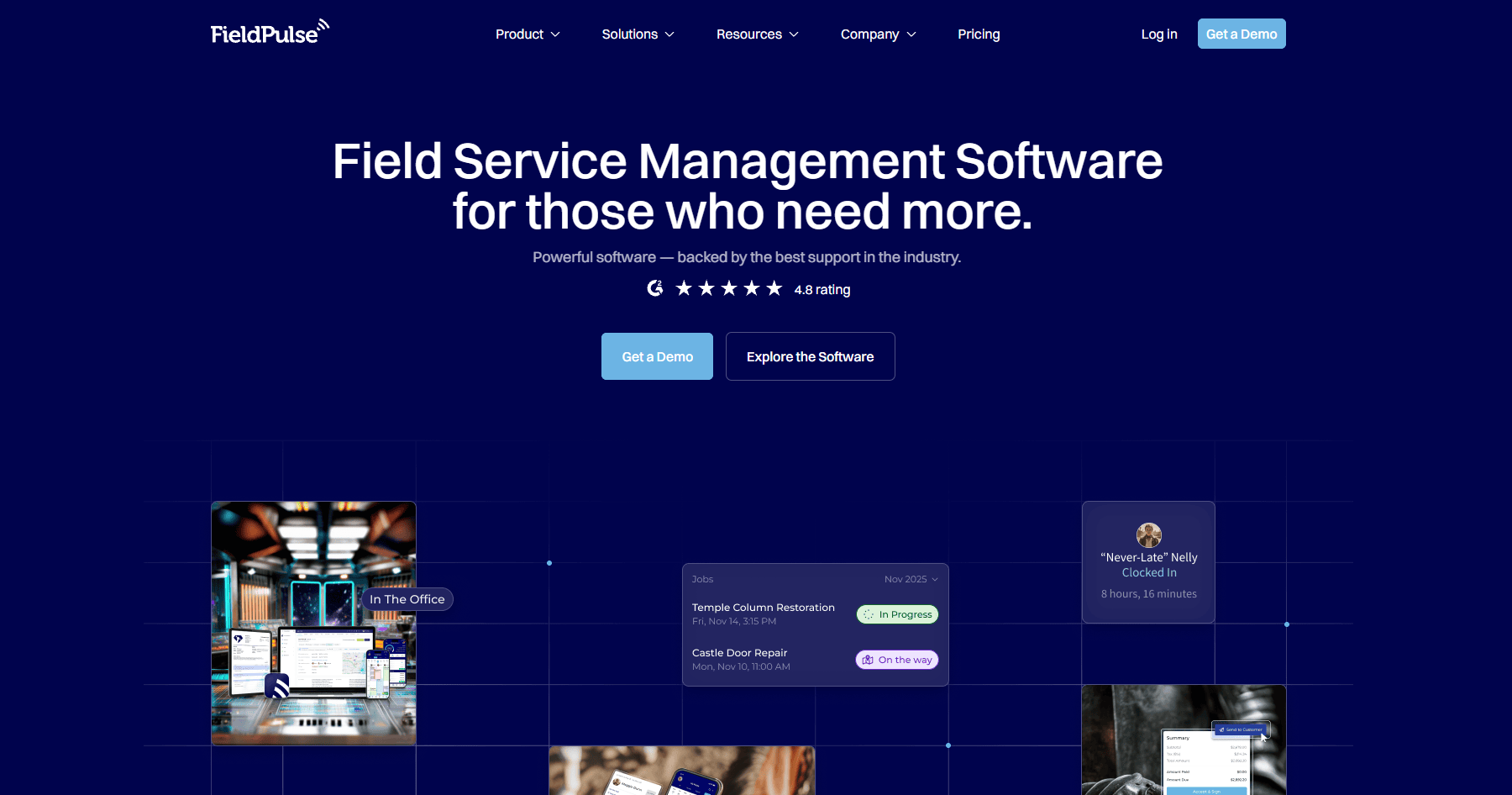
- What it does: FieldPulse is a field service tool that supports scheduling, dispatching, estimates, and job tracking in one system. It gives teams a clear view of daily routes and technician availability. The mobile app helps technicians record notes, upload photos, and update job statuses.
- Who it’s for: Service teams that need strong dispatching tools without the complexity of enterprise platforms.
FieldPulse puts scheduling at the center, so I checked how quickly I could assign jobs during busy hours. The drag-and-drop board updates technician routes right away, which makes it easy to test different scheduling scenarios.
I used the mobile app to see how job details appear in the field, and technicians get clear instructions with photos and checklists. The workflow stayed steady during testing, even with several active jobs.
Creating estimates was simple, and converting them into jobs saved time. Some reporting views are lighter than other field service tools, but the core workflow stays easy to understand.
Key features
- Dispatch board: Adjust technician schedules in real time
- Mobile app: Let technicians review tasks and upload photos
- Estimate builder: Create and convert estimates into jobs
Pros
- Quick job assignment during busy days
- Clear technician workflows
- Easy estimate-to-job conversion
Cons
- Reporting is lighter than larger tools
- Limited customization for complex teams
Pricing
FieldPulse offers custom pricing.
Bottom line
FieldPulse helps you manage dispatching and daily service work with a simple scheduling workflow. It’s useful if you want clear technician tools without extra complexity. Teams that need deeper asset tracking may prefer ServiceMax or ServiceTitan.
7. Monday.com: Best for job and project tracking
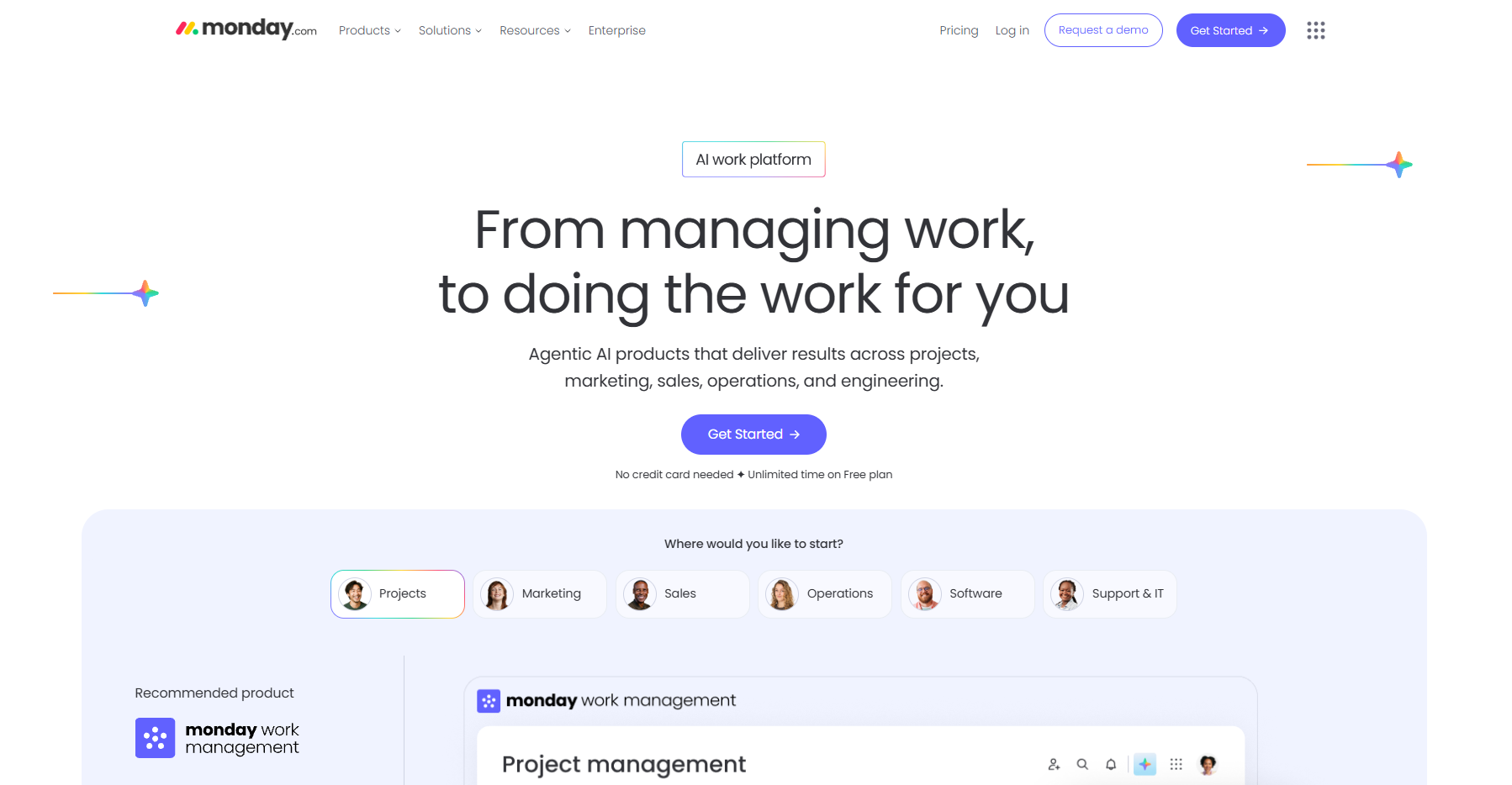
- What it does: Monday.com is a flexible work platform used for job scheduling, task management, and internal coordination. Service teams often use it to track job progress, assign tasks, and store client details in structured boards. It adapts to many workflows without heavy setup.
- Who it’s for: Teams that want an adaptable system for jobs, tasks, and client information.
Monday.com is easy to set up, and it stood out for how quickly I could build boards that match a service team’s workflow. I created a job board with due dates, client names, technician ownership, and notes, and everything updated in real time.
Automations keep work moving, and during testing, they shifted tasks across stages without extra steps. Monday.com also works well as light client database software, since you can track client details and job history without building a complex system.
The mobile app keeps tasks clear, and updates stayed easy to follow for teams working outside the office. The flexibility makes it useful for jobs that change often.
Key features
- Custom boards: Build workflows for jobs, tasks, and client details
- Automations: Trigger reminders or move tasks when statuses change
- Mobile app: Keep updates consistent on the go
Pros
- Flexible layouts
- Easy automations for routine steps
- Simple setup for job tracking
Cons
- Not built specifically for field service
- Limited invoicing without add-ons
Pricing
Monday.com starts at $12 per seat per month with a minimum of 3 users.
Bottom line
Monday.com gives you a flexible way to organize jobs, tasks, and client details without a heavy setup. It works well for teams that want simple coordination tools. Service teams that need dispatching may prefer FieldPulse or Housecall Pro.
8. ClickUp: Best for project-based service work
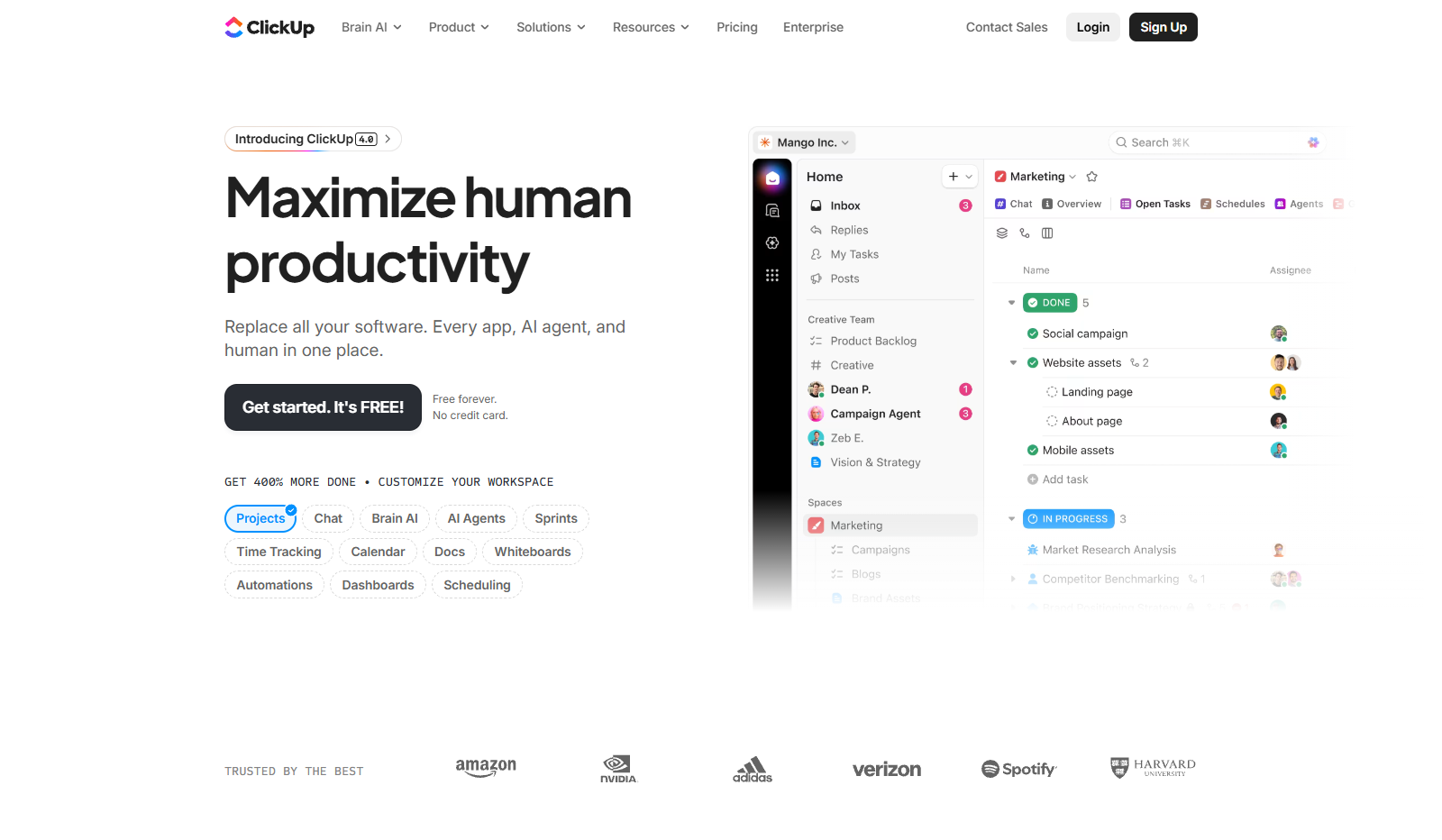
- What it does: ClickUp is a project management platform that helps teams organize jobs, tasks, documents, and updates. It supports custom views for lists, calendars, and timelines. Service teams often use it for multi-step job management.
- Who it’s for: Service businesses that need customizable workflows for ongoing projects.
I tried building a service workflow inside ClickUp to see how it handles multi-step jobs. The custom fields organized details like job status, assigned technician, and required materials.
Switching between list and calendar views gave me different perspectives on deadlines. Each view helped in a different stage of planning, which made testing smoother.
ClickUp also supports internal docs, which keep instructions and notes close to the job. The interface has many options, so new users may need time to get comfortable, but the flexibility becomes useful once workflows are in place.
Key features
- Custom fields: Add job-specific details
- Multiple views: Track work through lists, boards, or calendars
- Internal docs: Store instructions or notes alongside tasks
Pros
- Flexible layouts
- Helpful for multi-step service projects
- Built-in docs keep information close to tasks
Cons
- Learning curve for new users
- No built-in invoicing
Pricing
ClickUp starts at $7 per user per month.
Bottom line
ClickUp gives you a flexible workspace for tracking multi-step jobs and longer projects. It works well if you want a customizable system for internal coordination. Teams that need invoicing or dispatching may prefer Jobber or Housecall Pro.
9. HoneyBook: Best for proposals and early client flow

- What it does: HoneyBook supports proposals, contracts, payments, and basic client communication. It guides clients through the early steps of working with a service business. The platform connects quotes, agreements, and invoices in one timeline.
- Who it’s for: Small service teams that want a simple way to manage proposals and payments.
The proposal workflow in HoneyBook stood out as soon as I tested it. You can build a branded proposal, send it out, and let clients approve everything from one link, which keeps the early steps simple.
I checked how contracts convert into invoices, and the flow stayed clear without needing extra tools. The timeline view also keeps messages, approvals, and payments in one place, which helps early client work stay organized.
The mobile app supports quick updates, though it doesn’t offer the depth found in larger platforms. HoneyBook focuses on the first part of the client cycle rather than long-running jobs.
Key features
- Proposals: Build and send branded proposals
- Contract-to-invoice flow: Convert approvals into invoices
- Client timeline: View messages, approvals, and payments in one screen
Pros
- Simple proposal setup
- Clean approval experience
- Helpful for early client communication
Cons
- Not designed for field service
- Limited long-term job management
Pricing
HoneyBook starts at $29 per month for the Starter plan.
Bottom line
HoneyBook gives you a clean way to manage proposals, contracts, and early client steps. It works well if you want a simple onboarding flow. Teams that need job tracking may prefer Jobber or Monday.com.
10. Bonsai: Best for freelancers and solo service providers
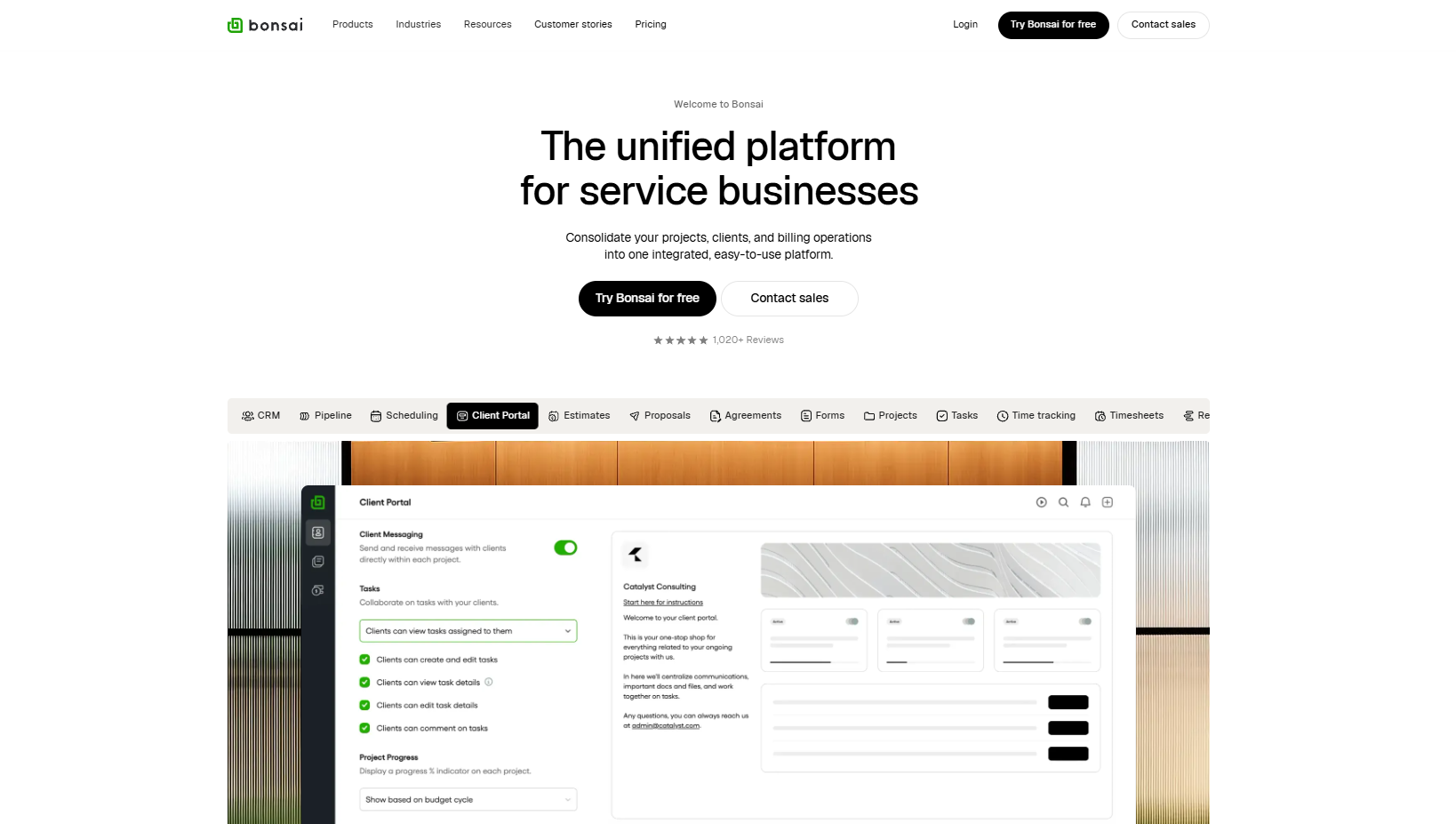
- What it does: Bonsai is a lightweight platform for contracts, invoicing, time tracking, and basic client management. Solo providers use it to manage proposals, collect payments, and stay organized without large systems. The templates keep setup quick.
- Who it’s for: Freelancers and solo service providers who want an all-in-one tool without extra complexity.
Bonsai moves quickly from proposal to payment, so I wanted to see how the full flow works in practice. The templates made it easy to create contracts and invoices without building custom setups.
The project dashboard shows tasks and notes in one place, which keeps things simple for small service operations. Client information is organized well, though Bonsai doesn’t offer detailed job tracking for longer or more complex work.
Speed and simplicity are where it performs the strongest. It’s a good match for solo providers who want basic organization rather than complex coordination.
Key features
- Contract templates: Create and send agreements quickly
- Invoicing: Collect payments with simple flows
- Task dashboard: Track project steps in one view
Pros
- Fast setup
- Clear proposal-to-payment flow
- Simple client organization
Cons
- Not suited for larger teams
- Limited job tracking
Pricing
Bonsai starts at $9 per month for the Basic plan.
Bottom line
Bonsai gives you a quick way to manage contracts, invoices, and simple client work. It makes sense for solo providers who want everything in one place. Teams that need more robust scheduling may prefer Housecall Pro or Jobber.
11. FreshBooks: Best for invoicing and light job management
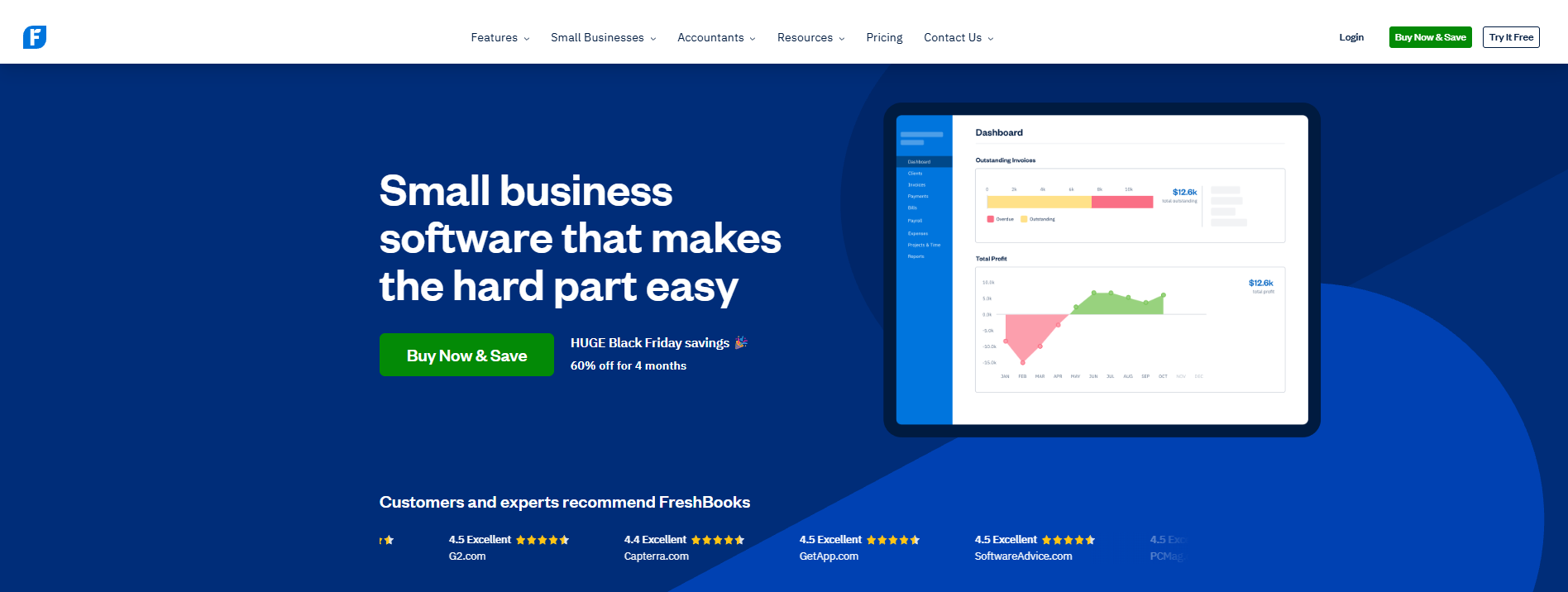
- What it does: FreshBooks is an invoicing and accounting tool with simple job tracking. Service teams use it to send estimates, track time, and collect payments. It also offers basic project organization.
- Who it’s for: Small service businesses that need straightforward invoicing with light job management.
FreshBooks works well for teams that mix client work with administrative tasks, so I tested how smooth the estimate-to-invoice process is. I sent an estimate and converted it into an invoice, and the steps stayed clear from one stage to the next.
The time-tracking tool kept hours organized during testing, which helps when billing jobs with variable labor. I checked the project tab, and it grouped notes, files, and messages in a way that keeps smaller jobs easy to follow.
Reporting is basic, but it provides enough information for teams that want summaries instead of deep analytics.
Key features
- Invoicing: Send estimates and convert them into invoices
- Time tracking: Log billable hours
- Project tab: Keep notes, files, and messages organized
Pros
- Clean invoicing workflow
- Strong fit for time-based billing
- Simple organization for smaller jobs
Cons
- Limited job depth
- No tools for complex field routing
Pricing
FreshBooks starts at $170.10 per year.
Bottom line
FreshBooks helps you manage estimates, time, and payments without complex systems. It’s useful if your work centers on invoicing with light project tracking. Teams that need dispatching or advanced job management may prefer FieldPulse or Jobber.
How I tested the best service business software
I tested these tools by running full-service workflows, from the first client request to the final payment. I created mock clients, set up jobs, adjusted schedules during busy hours, and used the mobile apps the way a technician would throughout the day. This helped me see where each platform supports real service work and where it adds steps that interrupt the workflow.
Here’s what I focused on:
- Job setup and scheduling: How long it takes to create jobs, assign technicians, and shift timelines when plans change.
- Client flow and communication: How quotes, approvals, messages, and updates move through the system without adding extra steps.
- Technician experience: Whether mobile tools give technicians the job details they need, including notes, photos, and checklists.
- Billing and paperwork: How estimates turn into invoices, how payments are tracked, and whether documents stay organized.
- Workflow visibility: Whether managers can see active jobs, upcoming work, and overdue tasks without digging.
- Integrations: How well each tool connects with calendars, CRMs, accounting platforms, and other systems that service teams rely on.
- Learning curve: How quickly a small team can get comfortable without long setup sessions or extra training.
Running these tests across full job cycles made strengths and limitations clear, which helped me understand which tools fit different types of service teams.
Which service business software should you choose?
Businesses don’t all run the same way, so the right service business software depends on how your team handles scheduling, client updates, field work, and billing. Choose:
- Assembly if you want a single workspace that connects client communication, contracts, and payments from the first interaction through ongoing work.
- ServiceTitan if you manage a large field team and need full dispatching, technician routing, and on-site estimating.
- ServiceMax if your work depends on detailed asset records, long-term maintenance schedules, and structured field workflows.
- Housecall Pro if you run home-service jobs and want a simple way to schedule visits, send invoices, and keep technicians updated.
- Jobber if you’re a small team that needs quick quoting, clean scheduling, and straightforward job tracking.
- FieldPulse if dispatching is your priority and you want clear technician visibility during busy days.
- Monday.com if you prefer flexible boards for jobs, tasks, and internal coordination rather than a field-service-specific tool.
- ClickUp if you manage multi-step service projects and need customizable views for tasks and deadlines.
- HoneyBook if your work starts with proposals and you want quotes, contracts, and early client steps in one flow.
- Bonsai if you’re a solo provider who needs fast contracts, invoices, and simple client organization.
- FreshBooks if invoicing drives most of your workflow and you want time tracking and light job organization in one place.
My final verdict
I noticed during testing that smaller teams often lean toward Jobber or Housecall Pro because they want fast scheduling and simple invoicing, while companies with technicians or heavy field work usually choose ServiceTitan or ServiceMax.
Monday.com and ClickUp tend to fit teams that run service work like internal projects with lots of moving tasks.
Assembly fits the gap that those tools leave open. It keeps your client communication, contracts, and payments in one workspace so you can follow the full cycle without switching systems. I think this structure gives service teams the clarity they need as their workload grows and makes it easier to keep every client moving forward without extra steps.
Build a more connected client experience for your service business with Assembly
Choosing service business software means selecting a platform that supports both field work and client communication without scattered tools. Assembly gives service teams a secure workspace where clients stay updated and your team can move through each stage of the job without losing context.
Here’s what you can do with Assembly:
- See the full client record: Notes, files, payments, and communication history stay linked in one place. You never have to flip between systems or lose context when switching from sales to service.
- Prep faster for meetings: The AI Assistant pulls past interactions into a clear summary so you can walk into any call knowing exactly what’s been discussed and what’s next.
- Stay ahead of clients: Highlight patterns that may show churn risk or upsell potential, making outreach more timely and relevant.
- Cut down on admin: Automate repetitive jobs like reminders, status updates, or follow-up drafts that used to take hours. The Assistant handles the busywork so your team can focus on clients.
Ready to bring your client communication, billing, and job updates into one organized workspace? Start your free Assembly trial today.
Frequently asked questions
What is service business software?
Service business software is a set of tools that helps you manage jobs, clients, communication, and payments in one organized system. You use it to schedule work, track client details, keep files in one place, and stay on top of billing. Many teams also use it to coordinate technicians, manage projects, and handle repeat or productized services without separate tools.
How do you choose service business software?
You choose service business software by matching it to how your team schedules jobs and communicates with clients. The tool should also support billing, keep client details in one place, and make daily work easier to track. This helps you stay organized as jobs move from first contact to final payment.
How do service businesses keep jobs and client details organized?
You keep jobs and client details organized by using software that links scheduling, client messages, files, and payments in one place. This keeps updates in one location so you don’t have to switch tools.
Your clients deserve better.
Try for free for 14 days, no credit card required.